// 01 · Manufacturing Project Management System
ForgePMS
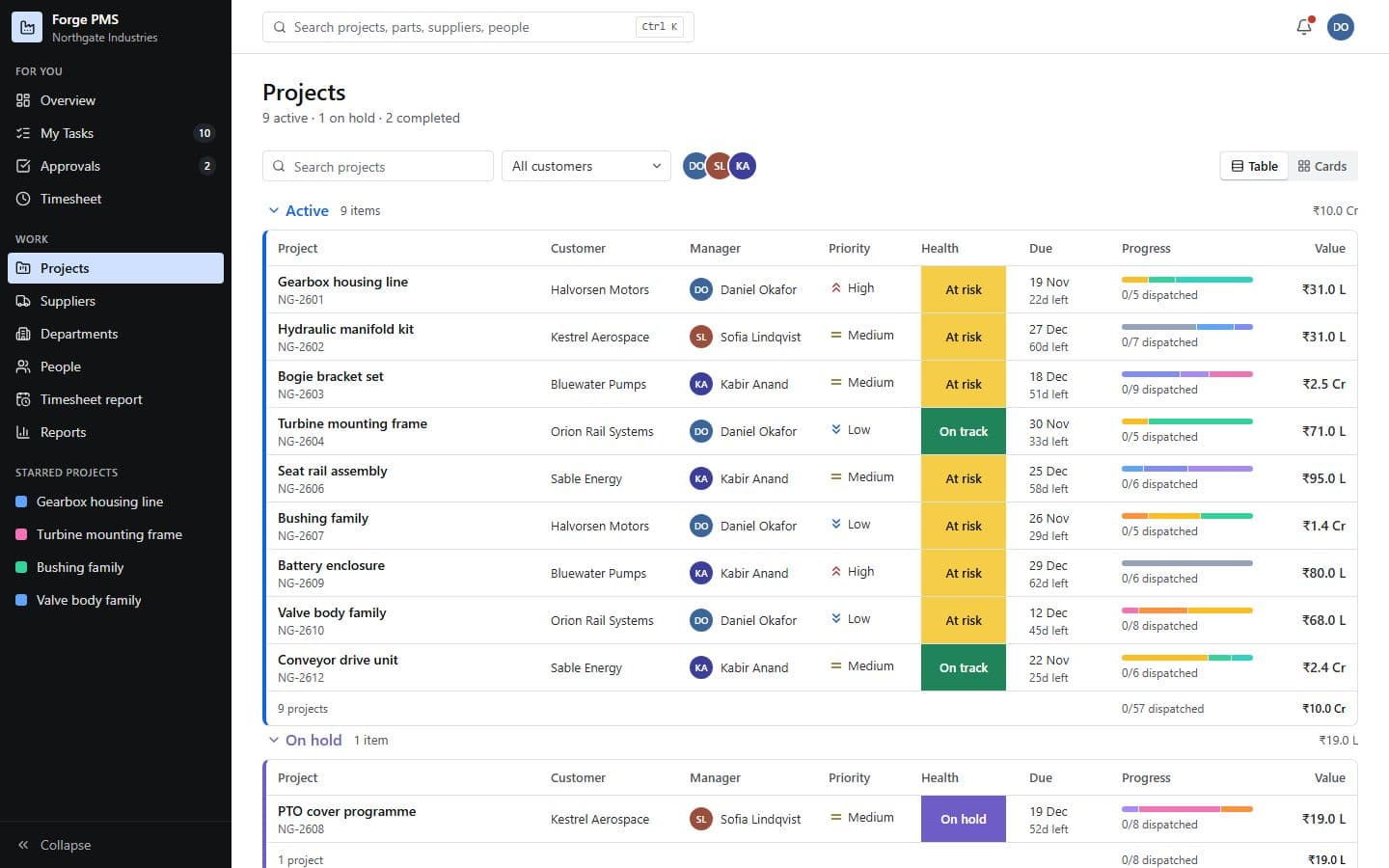
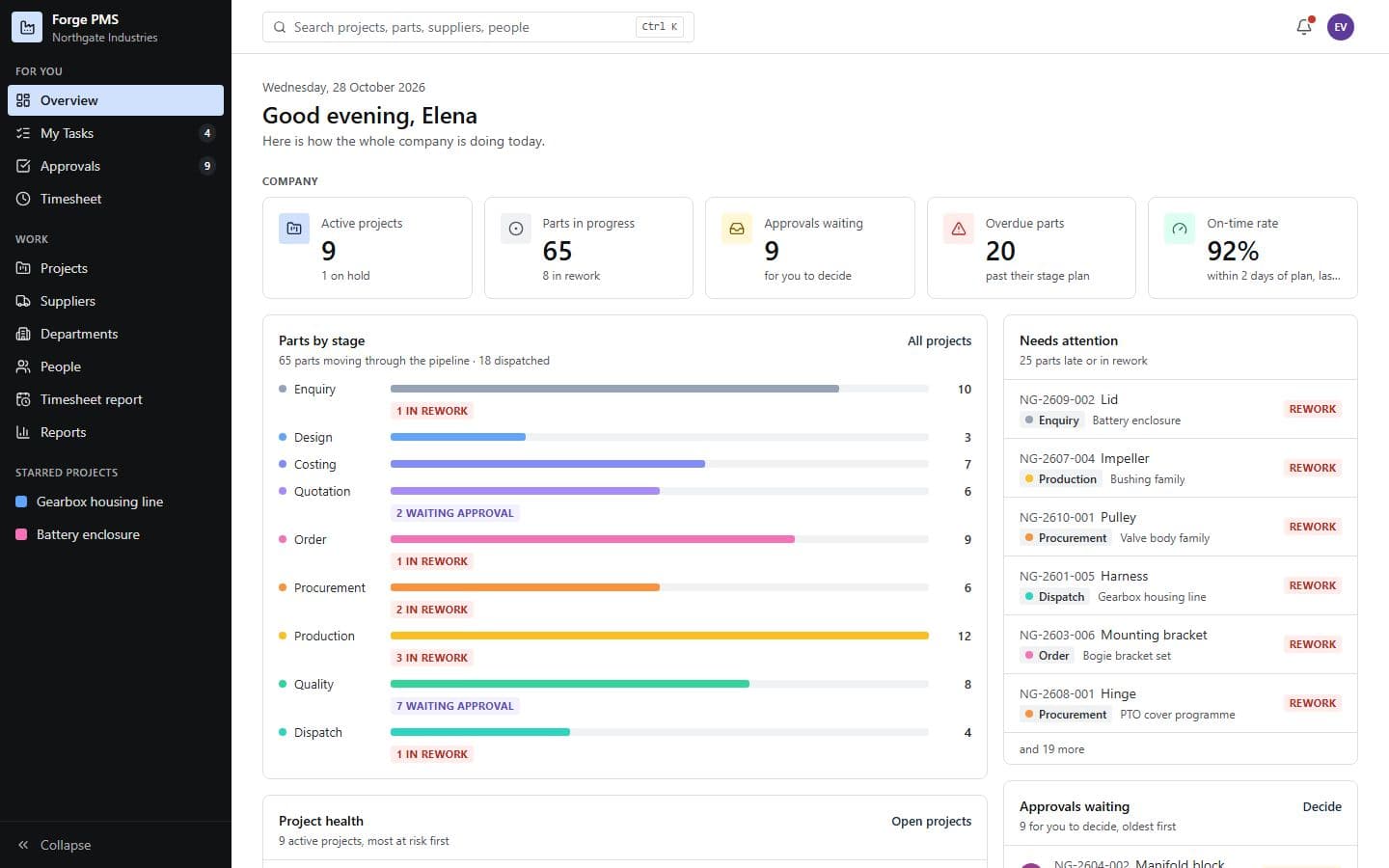
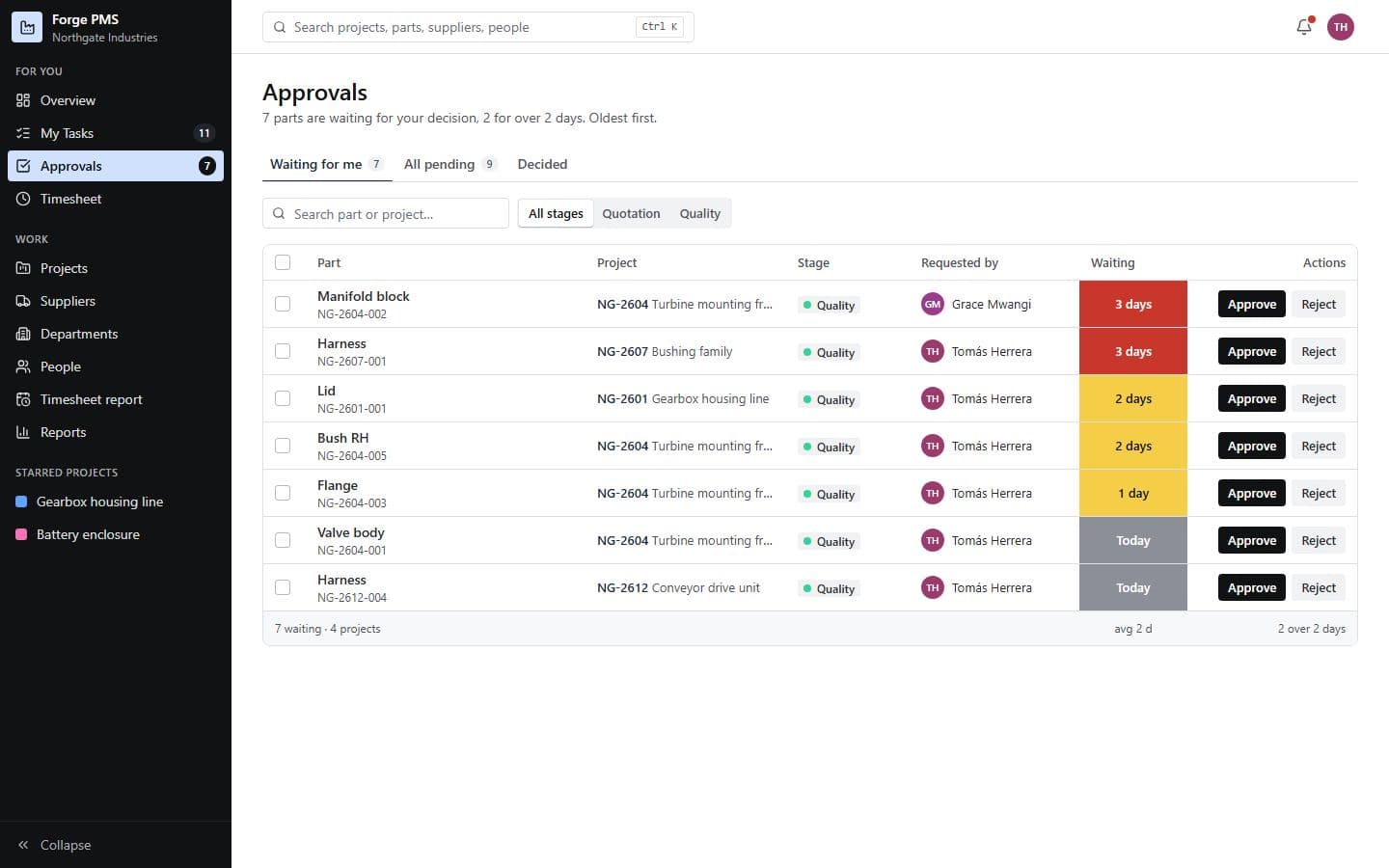
Exhibit A · Overview
Tracks manufacturing projects part by part, from drawings to dispatch.
Every part of every project moves through staged workflows with approvals, rework, checklists, versioned attachments, production planning, supplier activity, timesheets and reporting, all in one place.
- Client
- Excluded: client identity · An engineering and manufacturing firm
- Platform
- Web application
- Engagement
- Freelance, solo
- Status
- In daily use
- Built independently
- Requirements & workflow design Application Database Cloud deployment Roles & permissions
Run it · live demo
01 · The process
From loose notes to a process the software can hold.
Before · on paper
- A master spreadsheet per project, edited by five people
- Drawings and revisions passed around as files
- Approvals given in chat, hard to find later
- “Where is part 14?” answered by calling the shop floor
After · in Forge
- 01
Enquiry
- 02
Design
- 03
Costing
- 04
Quotation
Gate · Director or manager approves
- 05
Order
- 06
Procurement
- 07
Production
- 08
Quality
Gate · Quality lead approves
- 09
Dispatch
Stage Gate: must be true to move on
02 · Design rules
The rules it holds, so people don’t have to.
RULE F-01
A gate holds the part, not the person
Moving a part out of Quotation or Quality raises an approval and holds the part in “waiting” until the right role decides.
Why it matters
Nobody has to remember to ask. The system asks, and the history shows who decided and when.
RULE F-02
Rejection is a path, not a dead end
A rejected approval sends the part to rework with the reviewer’s comment attached, and it re-enters the flow from there.
Why it matters
Rework is visible and counted, so managers see where quality slips instead of hearing about it later.
RULE F-03
Approved hours are locked hours
Once a department head approves a week, its timesheet turns read-only. Reopening it is a recorded act.
Why it matters
Costing and payroll can trust the numbers without chasing anyone.
03 · Missions
Try it yourself, about a minute each.
Each mission signs you in as the right person (Managing Director, Project Manager, Design Engineer, Quality Lead) and opens the right screen.
MISSION 01
~1 min
Hit the approval gate
Seat: Daniel · Project Manager
- 1.Open any project and switch to the Board tab.
- 2.Drag a part from Quotation towards Order.
- 3.Watch where it lands.
Look for: The part waits for approval instead of moving. An approval request appears for the right people.
MISSION 02
~1 min
Approve as the Quality Lead
Seat: Tomás · Quality Lead
- 1.Open Approvals.
- 2.Approve one part, and reject another with a comment.
Look for: The approved part moves on to Dispatch; the rejected one goes to rework with your comment.
MISSION 03
~1 min
Try it from the wrong seat
Seat: Meera · Design Engineer
- 1.Sign in as Meera.
- 2.Open Approvals.
Look for: Nothing to decide. Permissions come from the role, not from a hidden button.
MISSION 04
~1 min
Lock a week of hours
Seat: Elena · Managing Director
- 1.Open Time report.
- 2.Approve a whole week for a department.
- 3.Open that person’s timesheet.
Look for: The week is read-only now. Reopening it is a deliberate, recorded step.
04 · What it covers
In the full system
- Staged workflow per part
- Approvals with rework
- Checklists
- Versioned attachments
- Production planning
- Supplier activity & grades
- Board, table & timeline views
- Weekly timesheets & approvals
- Department workload
- Throughput & bottleneck reports
- Configurable roles & permissions
Not in this demo
- Client identity and branding
- Their real stage names and codes
- Production data, drawings and suppliers
- Integrations with their other systems
My role
Sole owner from the first conversation to go‑live: requirements with the firm’s directors and managers, workflow and permission design, the build and the deployment.
- Where it stands
- In daily use by the firm.
- Skills it shows
- Requirements gatheringStakeholder mappingProcess & approval designRoles & permissionsEnd-to-end delivery
Stakeholders and users
Who it had to work for.
Managing Director
Oversight across every project, and weekly hours that can be signed off and trusted.
Project Manager
One board per project, with parts that move only when the right person has approved them.
Design Engineer
Drawings and revisions in one place, and no approval buttons that are not theirs.
Quality Lead
A queue of parts to approve or send back, with the reason kept on record.
Key decisions
The calls that shaped it, and what each one cost.
- 01
An approval holds the part, not the person
- The trade-off
- A part now waits at a gate instead of moving on a quick verbal yes.
- Why it was worth it
- Every decision is on record: who approved, when, and why.
- 02
A rejection sends work to rework, not to a dead end
- The trade-off
- More states to design and explain than a simple approve or reject.
- Why it was worth it
- Rework becomes visible and countable, so managers see where quality slips.
- 03
Approved hours are locked
- The trade-off
- Correcting an approved week takes a deliberate, recorded step.
- Why it was worth it
- Costing and payroll can rely on the numbers without chasing anyone.