// 02 · Evidence-based Sales CRM
RelayCRM
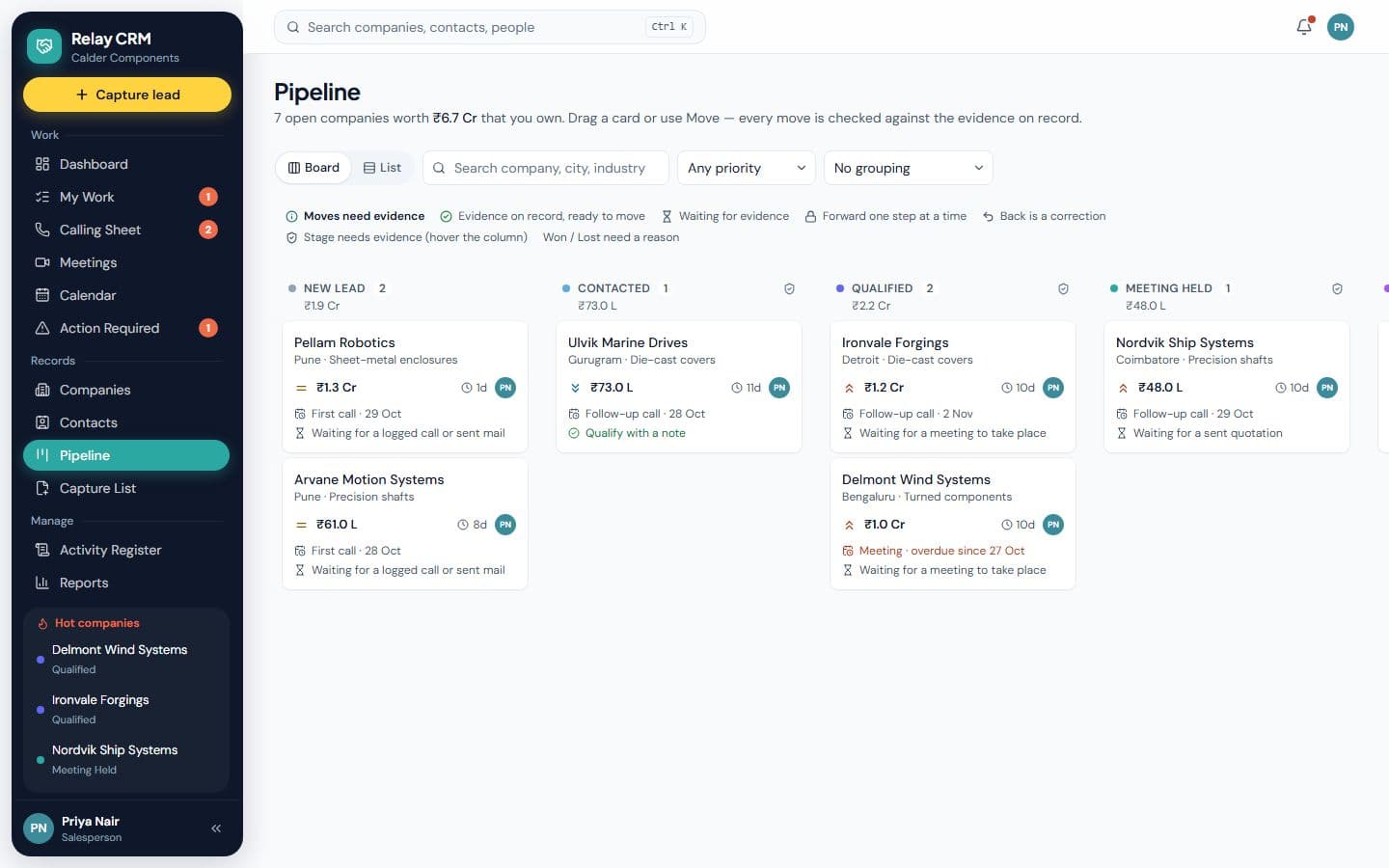
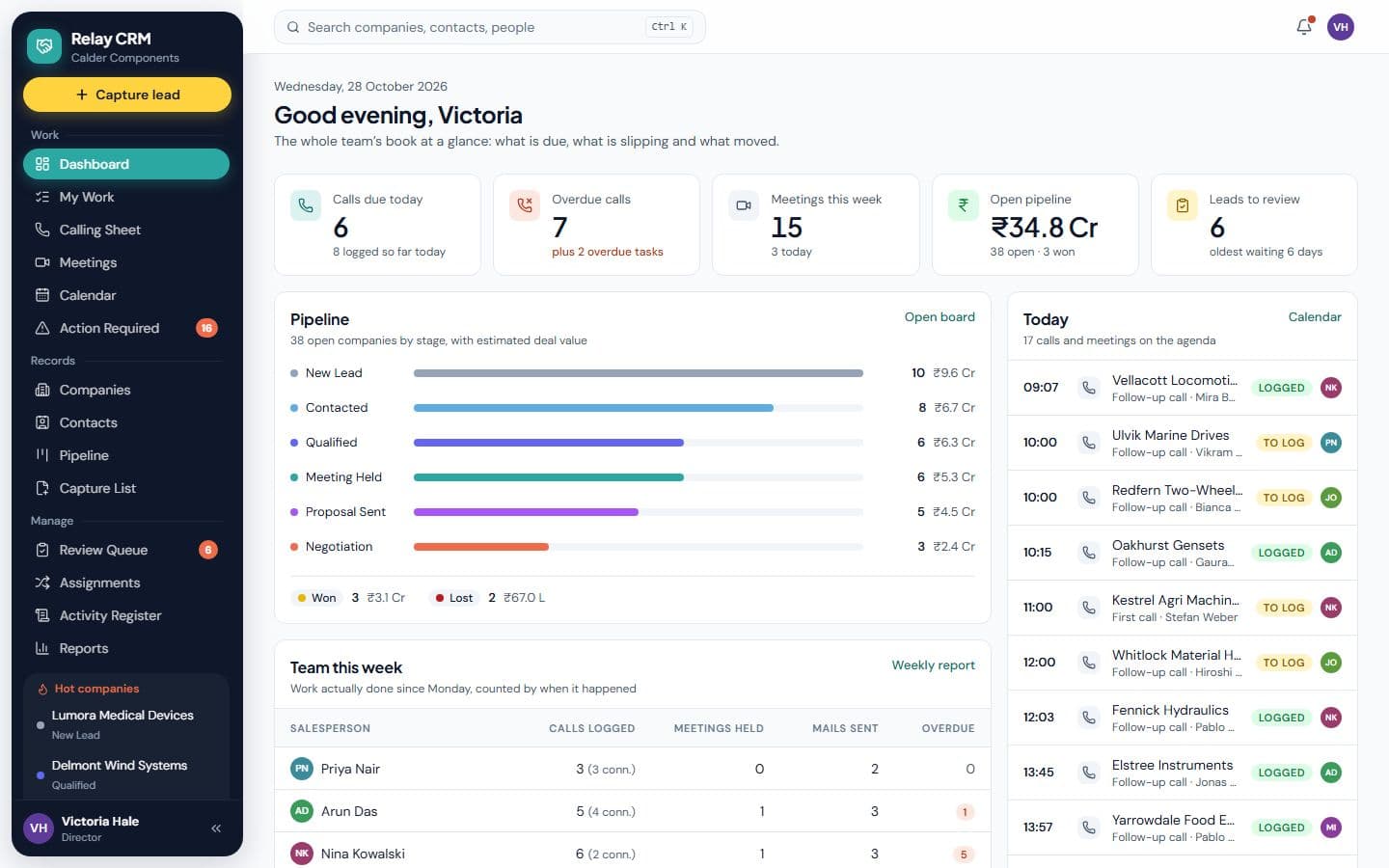
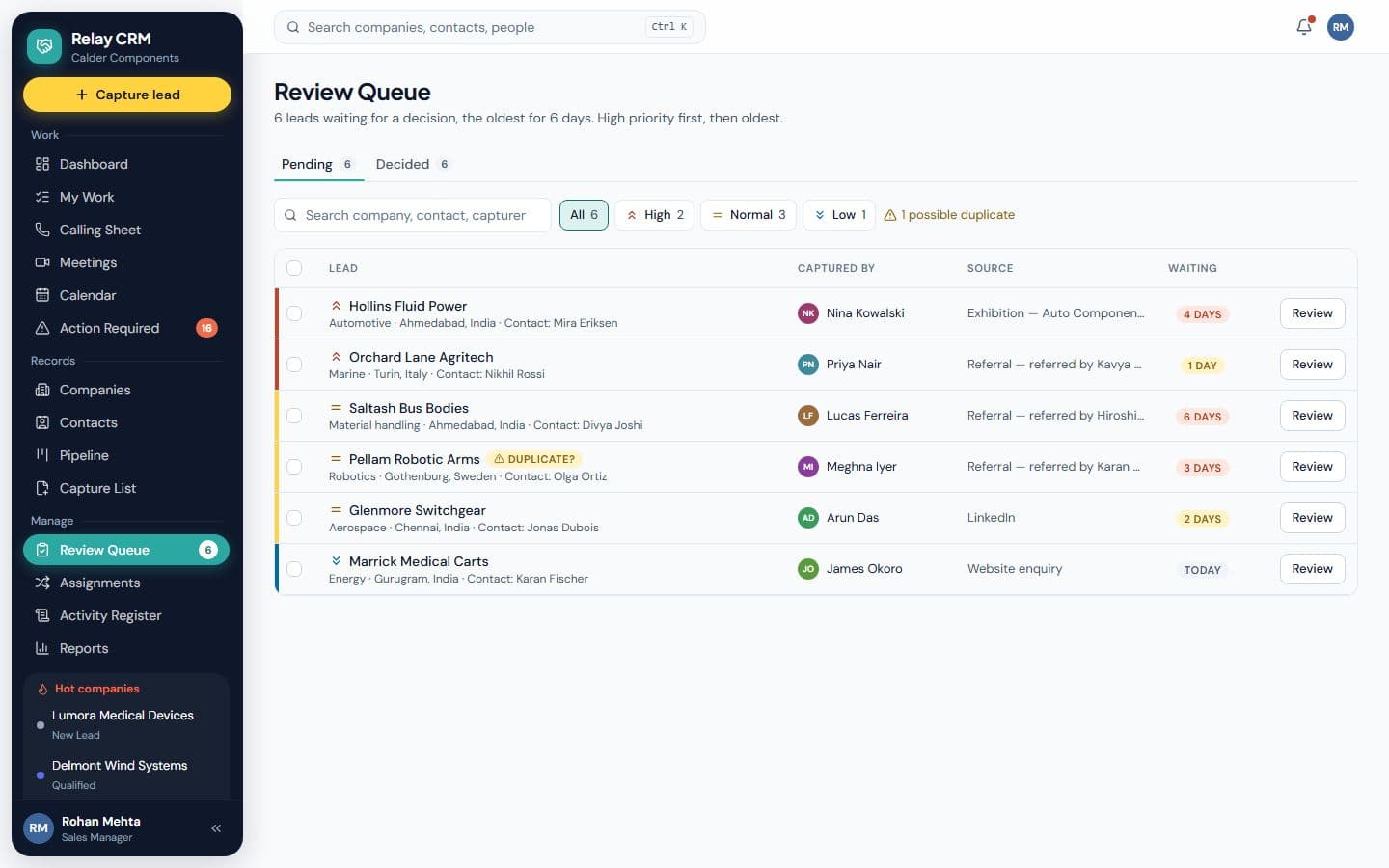
Exhibit B · Overview
Connects lead capture, review, assignment and sales execution, where deals move only on evidence.
Deals progress through evidence-backed stages, and every recorded outcome creates the next action. It includes calling sheets, meetings, email tasks, company and contact records, pipeline, activity, alerts, team reports and role-based access.
- Client
- Excluded: client identity · A B2B engineering sales team
- Platform
- Web application
- Engagement
- Freelance, solo
- Status
- In daily use
- Built independently
- Requirements & workflow design Application Database Cloud deployment Roles & permissions
Run it · live demo
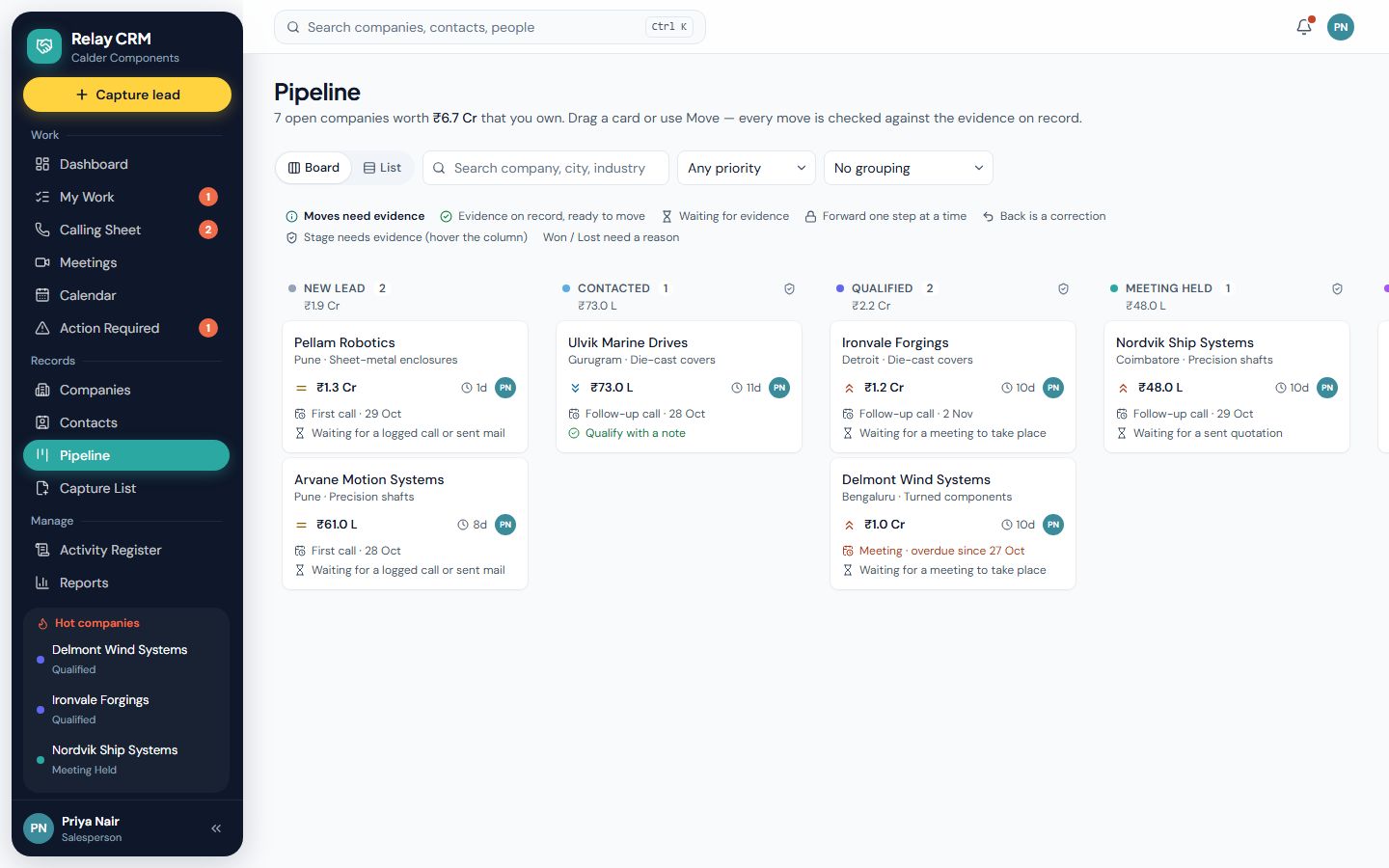
01 · The process
From loose notes to a process the software can hold.
Before · on paper
- A lead list per salesperson, each in its own format
- Calls made, outcomes kept in someone’s head
- Follow-ups that depend on memory
- A pipeline that says “Negotiation” because someone hoped so
After · in Relay
- 01
New lead
- 02
Contacted
Gate · A logged call or a sent mail
- 03
Qualified
Gate · A qualifying note
- 04
Meeting held
Gate · A meeting that took place
- 05
Proposal sent
Gate · A sent quotation mail
- 06
Negotiation
- 07
Won / Lost
Gate · A reason
Stage Gate: must be true to move on
02 · Design rules
The rules it holds, so people don’t have to.
RULE R-01
Nothing advances on intention
A scheduled call is not a call, and a meeting on the calendar is not a meeting. A deal moves only when the evidence is on record.
Why it matters
The pipeline becomes a forecast managers can trust, not a mood board.
RULE R-02
Every outcome creates the next record
Logging a call or meeting offers the next action: a follow-up call, a mail, a meeting, or “not interested”. The system creates it.
Why it matters
Follow-ups stop depending on memory. Nothing falls between two conversations.
RULE R-03
Each seat sees its own book
A salesperson sees their companies; managers see everything and decide on leads; the contact manager keeps details clean across all of them.
Why it matters
Focus for the people doing the work, oversight for the people responsible for it.
03 · Missions
Try it yourself, about a minute each.
Each mission signs you in as the right person (Director, Sales Manager, Salesperson, Contact Manager) and opens the right screen.
MISSION 01
~1 min
Try to cheat the pipeline
Seat: Priya · Key Account Executive
- 1.Open Pipeline.
- 2.Move a “New lead” company straight to Contacted.
Look for: Blocked: a scheduled call does not count. Skipping a stage is refused too.
MISSION 02
~1 min
Log a call, earn the move
Seat: Priya · Key Account Executive
- 1.Open Calls → Today.
- 2.Log an outcome and choose a next action.
- 3.Go back to Pipeline and try the move again.
Look for: A follow-up appears on its own, and the stage move now succeeds because the evidence exists.
MISSION 03
~1 min
Review a captured lead
Seat: Rohan · Sales Manager
- 1.Open the Review queue.
- 2.Approve one lead and return another with a reason.
Look for: Approving creates the company, the contact and the first call in one step.
MISSION 04
~1 min
Same CRM, two seats
Seat: Priya, then Victoria · Director
- 1.As Priya, count the companies.
- 2.Switch to Victoria from the user menu.
- 3.Compare, then open team reports.
Look for: Scope follows the role. The director sees every book and how the team performs.
04 · What it covers
In the full system
- Lead capture & review queue
- Weekly assignment batches
- Calling sheets
- Meetings with outcomes
- Email tasks (sent from your own client)
- Company & contact records
- Evidence-gated pipeline
- Activity tracking & alerts
- Team reports
- Role-based access
Not in this demo
- Client identity and branding
- Their real stage names and data sources
- Contacts, companies and deal values
- Integrations with their mail and chat tools
My role
Sole owner from the first conversation to go‑live: worked out with sales leadership how a deal should earn each stage, designed the rules and roles, then built and deployed it.
- Where it stands
- In daily use by the sales team.
- Skills it shows
- Discovery with leadershipBusiness rules designRole-based accessReporting designEnd-to-end delivery
Stakeholders and users
Who it had to work for.
Director
Every account in one view, and team reports that reflect what actually happened.
Sales Manager
Captured leads to review and assign each week, and a pipeline to manage by.
Key Account Executive
Their own companies, today’s calling sheet, and follow-ups that create themselves.
Contact Manager
Clean, current contact details across every company.
Key decisions
The calls that shaped it, and what each one cost.
- 01
A deal moves only on evidence
- The trade-off
- Salespeople can no longer move a deal on optimism, and some find that strict.
- Why it was worth it
- The pipeline becomes a forecast leadership can trust.
- 02
Every outcome creates the next action
- The trade-off
- Logging a call takes one more choice: what happens next.
- Why it was worth it
- Follow-ups stop depending on anyone’s memory.
- 03
Each role sees its own book
- The trade-off
- More permission rules to design, explain and test.
- Why it was worth it
- Focus for the people selling, oversight for the people responsible for them.